
Final Review Checklist for an Artist Grant Application
Before submitting an artist grant application, verify five areas: grant-specific requirements and completeness; proposal clarity and factual consistency; budget and timeline alignment; work samples and supporting materials; and the portal’s final submission state. The current grant instructions control every eligibility condition, limit, file rule, deadline, time zone, and submission method, and a saved, previewed, or validated application is not the same as a submitted application unless the portal explicitly records it as submitted.
Final pre-submission verification
Check each review gate only after you have verified it against the specific grant’s current instructions and the final application package. These checks confirm the review process; they do not predict funding.
0 of 5 review gates checked. Work through any unchecked gate before the final submission action.
After submitting through the required method, verify that the portal records the application as submitted and retain any confirmation or receipt the system provides.
This is a verification pass for an application that is already prepared, not a process for writing the proposal from scratch.
The aim is to catch preventable submission defects while there is still time to correct them.
This review checks completeness, internal consistency, technical compliance, and submission readiness; it does not predict whether the application will receive funding.
The controlling rules are those of the specific grant opportunity, so requirements, formats, and submission conditions should be verified against the current instructions rather than assumed from another application.
Start with grant requirements and completeness, because the first priority in a final review is confirming that every mandatory submission condition has been satisfied.
Table of Contents
Check Application Requirements and Completeness
Check the artist grant application against the current grant instructions for completeness and compliance before making optional improvements to its polish or presentation.
A mandatory submission condition is satisfied only when the application matches the requirement stated for that specific opportunity; an optional improvement does not replace a missing requirement.
Use the current grant guidelines, portal prompts, and required-document list as the controlling references rather than relying on memory or requirements from another grant.
Verify the application's eligibility status, required fields, required documents, file rules, and stated limits against those references.
Word limits, page limits, attachment requirements, and other conditions are grant-specific, so the applicable value or rule is the one stated by the current opportunity.
Any mandatory item that is missing or does not match the stated condition needs correction or clarification, where applicable, before that requirement can be treated as satisfied.
The image illustrates how grant-specific requirements can be mapped to the application's current completion status, including the distinction between required and optional items.
This makes the verification process concrete without treating one grant's conditions as universal.
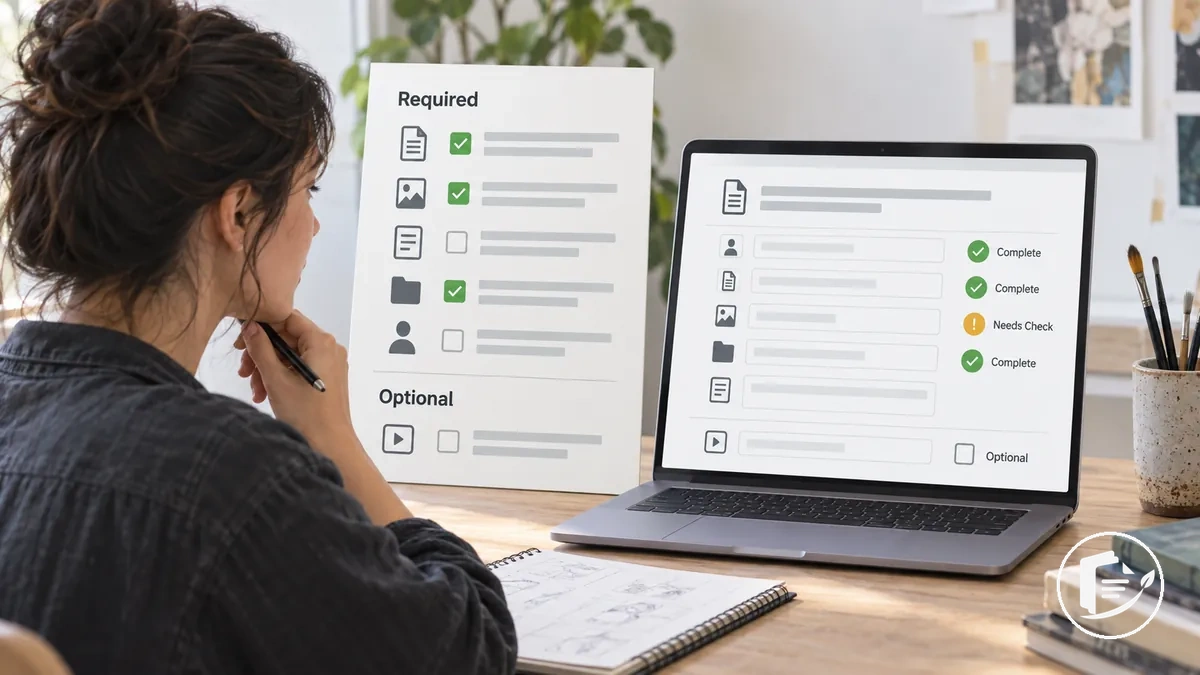
The following checklist organizes mandatory requirements by verification category, moving from gating conditions to technical completeness.
For each item, compare the current application state with the corresponding instruction rather than treating a discretionary quality improvement as a compliance requirement.
- Eligibility: confirm that the application satisfies the eligibility conditions stated for the current grant opportunity; any unmet condition remains unsatisfied, while an unclear condition requires confirmation from the official instructions.
- Required responses: confirm that every required field or portal prompt contains the requested information; a mandatory field left incomplete needs correction.
- Required documents: confirm that every document identified as required is included; an omitted mandatory document means the submission package is not yet complete for that requirement.
- Attachments: confirm that each required attachment matches the stated document or attachment instructions; any mismatch needs correction.
- File rules: confirm that uploaded files satisfy the file requirements specified by the opportunity; do not assume formats or other file conditions from a different grant.
- Stated limits: confirm that responses and documents comply with any word limits, character limits, page limits, or other limits stated in the current grant instructions.
- Other mandatory instructions: confirm that any remaining required condition shown in the grant guidelines, portal prompts, or required-document list is satisfied before treating the application as complete and compliant.
Eligibility and Grant-Specific Instructions Are Confirmed
Grant eligibility must be confirmed against the current opportunity's stated conditions before submission because eligibility requirements are grant-specific.
Check the applicant and proposed activity against the official guidelines rather than assuming that conditions from another grant apply.
Applicant status, location, project period, permitted activity, and any stated restrictions should be evaluated only when the opportunity makes them relevant.
Compare each eligibility condition with the applicant's or project's current state.
A condition is confirmed when the stated requirement is met, unmet when the current state does not meet it, and unclear when the official guidelines do not provide enough information to confirm applicability.
An unclear condition requires clarification from the official grant information rather than inference, while an unmet condition should not be assumed to be correctable.
The image maps grant-specific eligibility conditions to applicant and project details so that confirmed and needs-check states can be distinguished without implying universal thresholds.
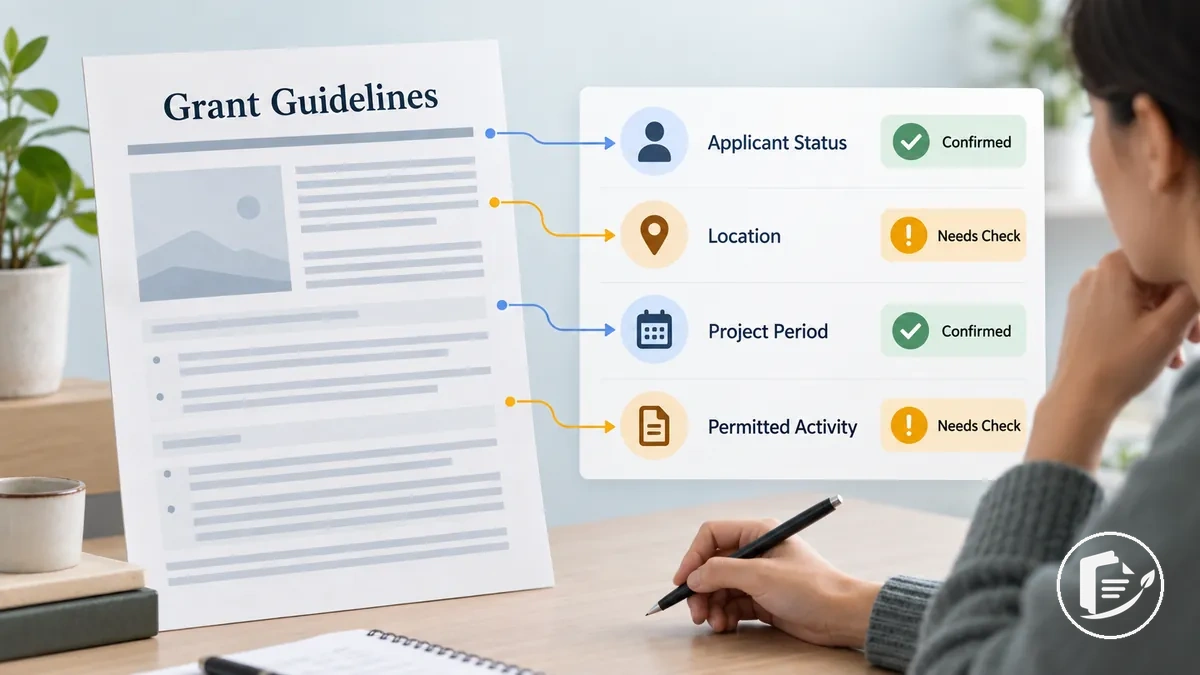
Use the checklist to test the main classes of eligibility conditions against this grant's rules and record the resulting state for each applicable condition.
- Applicant status: compare the applicant's current status with the stated eligibility condition and classify it as confirmed, unmet, or requiring clarification.
- Location: check any location condition stated in the official guidelines against the applicant or project location; if no such condition is stated, do not invent one.
- Project period: compare the proposed project period with any timing condition stated for the grant; if applicability is unclear, confirm it from the official guidance.
- Permitted activity: confirm that the proposed activity meets any permitted-activity condition stated for the opportunity; an activity outside a stated condition remains unmet unless the official guidance establishes otherwise.
- Opportunity-specific restrictions: check each restriction that applies to the applicant or proposed activity and classify the condition as confirmed, unmet, or unclear.
Required Questions, Fields, and Documents Are Complete
Every required question, field, declaration, and document should have a deliberate completion state before submission.
A required item is complete only when the requested input is present in the form or location specified by the current grant instructions.
Check observable application fields and stated requirements rather than assuming that a blank input is mandatory.
A required item may be complete, incomplete, or, where the grant permits it, not applicable; an optional item may be left blank without being treated as an omission.
If optionality or applicability is unclear, confirm the status from the grant instructions or application interface instead of adding filler.
Completeness also requires correct placement, so the image illustrates how generic fields, uploads, and declarations can be checked by status, while the checklist organizes the main input categories by completion state and placement.
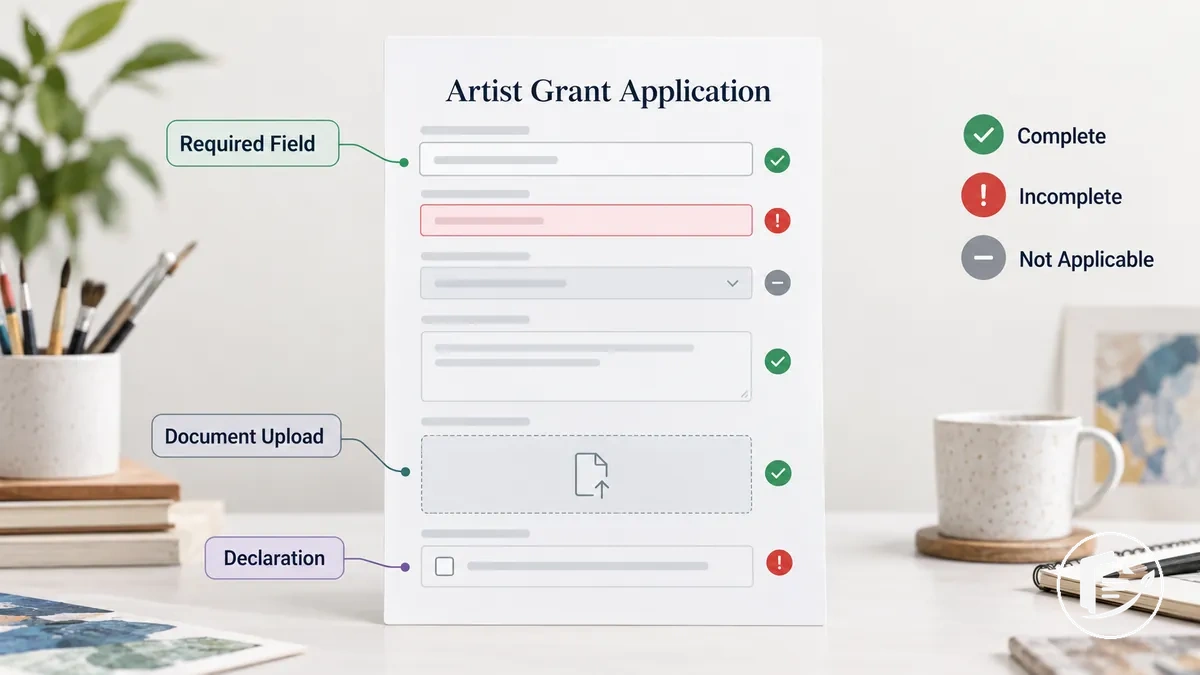
- Required questions: confirm that each required question has a response in its designated field; a required question without the requested input remains incomplete.
- Application fields: distinguish required fields from optional fields before treating a blank as an omission; an optional field may remain blank when no response is required.
- Declarations: confirm that every declaration required by the current application has the requested completion state in its designated location.
- Supporting documents: confirm that every supporting document identified as required is present; classify a document as not applicable only when the grant instructions support that state.
- Uploads: confirm that each required document or attachment is present in the upload location assigned to that item; this check concerns presence and correct placement rather than technical file rules.
- Conditional inputs: where a question, field, declaration, or document applies only under a stated condition, classify the input as required, not applicable, or awaiting confirmation from the current grant instructions.
Attachments, File Formats, and Limits Meet the Instructions
Each application attachment should be checked against the grant's stated file and limit rules rather than a generic standard.
Verify the file type, file size, page count, naming rule, word limit, character limit, and upload requirement only where the current grant instructions or portal specify them.
Match each technical requirement to the uploaded file's current state so the correction need is clear: the attachment either complies with the stated condition, conflicts with it, or requires confirmation.
A successful upload confirms only that the portal received the file, not that every format or limit requirement has been satisfied.
The image illustrates how uploaded files can be checked against technical requirements, including upload status and a preview or validation state.
Where the portal provides a converted file, preview, or validation result, inspect that resulting version rather than assuming the uploaded attachment renders as intended.
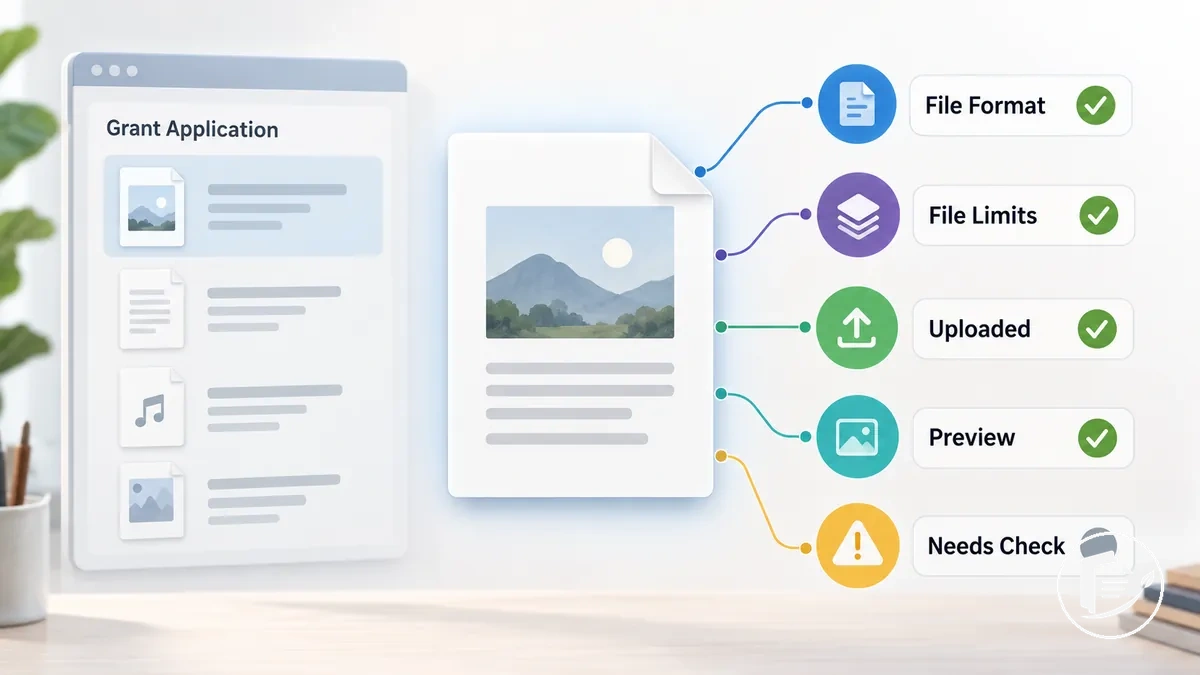
- File type: compare each attachment with the file type specified for that upload location; if the formats do not match, the attachment requires correction.
- File size: compare the uploaded file with any stated file size limit; an attachment that exceeds the stated maximum does not comply with that requirement.
- Page count: verify the attachment against any page count limit stated for that document; correct the file if it exceeds the applicable limit.
- Naming rule: check the filename against any naming rule specified by the grant instructions or portal; a mismatch requires renaming before that condition is satisfied.
- Word limit or character limit: where the opportunity specifies a text limit for an uploaded response or document, verify the current count against that stated limit and correct any excess.
- Upload status: confirm that each required attachment appears in the intended portal location with a successful upload state; upload success alone does not confirm compliance with the other technical rules.
- Preview or validation: when the portal provides a preview, converted version, or validation result, inspect the displayed file and correct or re-upload it if the observable result does not match the intended submission.
Review Proposal Content for Clarity and Consistency
The finished grant proposal should describe one coherent project with clear, consistent claims across its narrative components.
The project purpose should remain recognizable as the reader moves between responses, while repeated facts and terminology should match wherever they appear.
A material contradiction needs revision because different parts of the application would otherwise describe different versions of the project.
Check the alignment between the project purpose, planned activities, intended outcomes, audience where relevant, and requested support.
Each response should communicate its specific part of the project without changing the underlying facts or introducing conflicting terminology.
Where a response describes the same activity, outcome, or purpose as another section, verify that the claims match in substance.
If this final review exposes a deeper structural problem rather than a local inconsistency, review the proposal structure before making targeted revisions.
For example, if one response states that an exhibition begins in September while another places the same exhibition in October, the repeated project date contains a contradiction that needs revision.
The image demonstrates how repeated project details should agree across generic proposal sections, while the checklist organizes substantive cross-response checks for clarity and consistency before later copyediting.
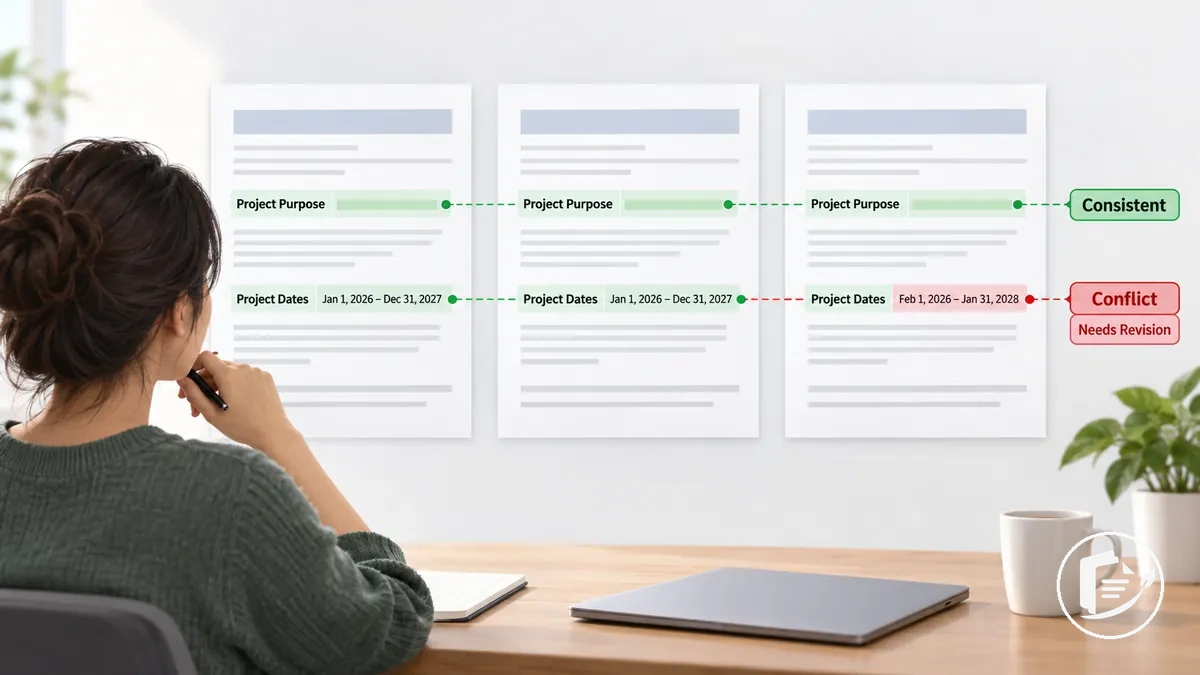
- Project purpose: confirm that each relevant response describes the same central purpose and does not introduce a conflicting project goal.
- Activities: check that repeated descriptions of planned activities align across the proposal and match the project purpose they are intended to support.
- Outcomes: verify that stated outcomes remain consistent where they recur and that they correspond to the activities described in the application narrative.
- Audience: where the proposal identifies an intended audience, check that relevant responses describe that audience consistently rather than introducing an unexplained change.
- Requested support: confirm that narrative references to the requested support align with the project purpose and activities without introducing contradictory claims.
- Clarity and terminology: identify passages where inconsistent terminology or unclear wording makes the same project fact appear different across responses, and revise only where clarification or alignment is needed.
Answers Are Direct, Clear, and Complete
Each application response should answer its prompt directly, clearly, and completely while staying within any stated length limit.
The response should address the information actually requested with enough specific detail to be understood without avoidable inference.
Completeness means resolving the prompt's relevant requirements, not adding material simply to make the answer longer.
Test each prompt against the submitted response: identify what the prompt requires, check whether the response addresses it, and decide whether it is sufficient or needs targeted revision.
A response that directly states the requested project outcome answers the prompt; a response that mentions related activities but leaves that requested outcome unresolved is relevant to the topic but incomplete for the question.
When the local check shows that a response needs more than a targeted final revision, check application responses for deeper response-writing guidance.
Use the checklist to verify directness, clarity, completeness, relevance, specificity, and compliance with any stated limit rather than adding length for its own sake.
- Directness: confirm that the response answers the prompt's actual question rather than approaching it indirectly or leaving the requested point unresolved.
- Clarity: check that the response communicates its answer without wording that makes the requested information unnecessarily difficult to identify.
- Completeness: verify that the response addresses each relevant part of the prompt; if a requested point is omitted, the response needs targeted revision.
- Relevance: confirm that the response addresses the requested information rather than merely mentioning material related to the broader topic.
- Specificity: check that the response provides enough specific information to resolve what the prompt asks without requiring avoidable inference.
- Length limit: where the application states a word limit, character limit, or other response-length requirement, confirm that the response stays within that stated limit.
Names, Dates, Amounts, and Terminology Are Consistent
Repeated application facts should remain consistent wherever they appear unless a documented contextual distinction explains the difference.
A project title, date, requested amount, location, or other fixed project detail should match the authoritative record when the same fact recurs across the form, narrative, timeline, budget, or attachments.
Consistency concerns factual identity, not identical wording in every section.
Cross-check each repeated detail against the authoritative project records and current grant instructions before changing either version.
Reconcile dates with the project timeline, the requested amount with the recorded funding request, locations with the project record, and any participant count with its documented or clearly identified estimated value; recurring terminology should retain the same meaning even when surrounding wording differs.
For example, if the application form records one requested amount while another application component gives a different amount for the same request, resolve the discrepancy against the authoritative record rather than introducing a new figure.
The checklist organizes the main repeated facts that should be cross-checked, while harmless wording variation should not be treated as a factual inconsistency.
- Names and project title: confirm that applicant names, organisation names where applicable, and the project title match the authoritative record wherever they recur.
- Dates: compare recurring project dates and periods across the narrative, timeline, forms, and attachments; reconcile any conflicting date against the authoritative project schedule.
- Requested amount: verify that the requested amount reflects the same recorded funding request wherever that value appears, while leaving detailed budget arithmetic to the dedicated budget review.
- Totals: where the same total is repeated outside the detailed budget calculation, confirm that it reflects the authoritative recorded value and is not an outdated or differently scoped figure.
- Location: check that recurring project locations match unless different locations are intentionally associated with different activities or stages and that distinction is clear.
- Participant count: where relevant, confirm that repeated participant counts reflect the same documented value or are clearly identified as estimates when the count is not fixed.
- Terminology: verify that recurring labels for the project, activities, participants, and other key entities retain the same meaning across responses without requiring identical prose.
Spelling, Grammar, and Formatting Are Proofread
The checklist isolates the main defects to catch without turning the final review into a rewriting stage.
- Spelling: correct misspelled words, typographical errors, and unintended word substitutions while preserving the intended terminology.
- Grammar: correct observable grammatical errors without changing the substantive claim expressed by the sentence.
- Punctuation: check punctuation for errors that interrupt readability or alter the intended sentence structure.
- Formatting: review headings, lists, spacing, emphasis, and other formatting used in the application for unintended inconsistencies in the final version.
- Duplicated or missing words: catch repeated words, omitted words, and similar copy defects that can make a sentence read incorrectly.
- Readability: correct obvious surface-level defects that obstruct reading, while treating problems with the underlying meaning as substantive revision rather than proofreading.
Where practical, review the application in its final submitted format and ask a second reviewer to perform a fresh read for surface errors the author may have overlooked.
Proofreading remains narrower than the broader grant writing mistakes to catch; at this stage, corrections should remove errors without changing the application's intended meaning.
Verify Budget, Timeline, and Project Details Align
The budget, timeline, and project narrative should describe the same feasible version of the project: the same material activities, scope, timing, and requested support.
For each material activity, compare what will happen, when it will happen, and the related cost or resource where one would reasonably be expected. A budget does not need a separate line for every activity when the grant groups costs or the activity has no distinct cost.
Treat a literal contradiction as a correction issue, but preserve differences that reflect a genuine contextual distinction. If the mismatch points to budget structure or arithmetic rather than cross-document alignment, check the grant budget before changing the narrative or timeline.
Correct the document that contains the verified mismatch without introducing new project details.
- Activity: confirm that each material activity described across the relevant documents represents the same planned work; a conflicting description requires correction in the document that contains the inconsistency.
- Timing: check that an activity's date or project period aligns between the narrative and timeline where timing is specified or required.
- Cost or resource: where an activity reasonably involves a stated cost or resource, confirm that the budget corresponds with the activity without assuming a one-to-one budget line for every task.
- Requested amount: confirm that references to the requested amount are compatible with the project scope and resources represented in the prepared budget, without repeating the separate arithmetic check.
- Scope: verify that the budget and timeline reflect the same project scope described in the narrative rather than a larger, smaller, or materially different version of the project.
- Cross-document alignment: reconcile any material mismatch against the prepared project details and applicable grant instructions, then correct the narrative, timeline, or budget that contains the inconsistency.
Budget Totals and the Requested Amount Are Accurate
Grant budget figures should calculate accurately, and each subtotal, overall total, and requested amount should match the corresponding figure entered elsewhere in the application.
Check every line item amount and category subtotal before relying on a copied total.
Calculate material totals independently, then reconcile the results with the budget, application form, and any other place where the requested amount appears.
Where a funding source, cap, contribution rule, or allowable-cost condition affects a figure, verify that constraint against the current grant guidelines rather than assuming a general rule.
Arithmetic accuracy and cross-application figure matching are separate checks: a total can be mathematically correct yet still conflict with the requested amount recorded elsewhere.
Any mismatch requires correction in the figure or document that does not reflect the verified value.
- Line item amount: verify that each line item records the intended amount and that the value used in calculations matches the figure shown in the budget.
- Category subtotal: calculate the sum of the relevant line items and confirm that the recorded subtotal equals that calculated value.
- Overall total: calculate the applicable category subtotals together and confirm that the resulting total matches the overall budget total.
- Requested amount: verify that the grant request matches the requested amount entered in the application form and any other application component where that figure recurs.
- Funding source: where other funding sources are included, confirm that their recorded amounts reconcile with the totals in which they are used and follow any applicable grant-specific instructions.
- Grant-specific constraint: where the opportunity states a funding cap, contribution rule, or allowable-cost condition, verify the relevant budget figure against that stated requirement without applying an unstated general threshold.
Costs, Activities, and Dates Agree Across the Application
Costs, activities, dates, and relevant quantities should describe compatible parts of the same project across the proposal, timeline, and budget.
Each material activity should align with the stated project period where applicable, and its related cost or resource information should remain consistent with the planned work.
Map each material activity to its date or timing in the timeline and then to the related cost or resource implication in the budget where one would reasonably be expected.
A discrete budget line is not required for every activity when the grant format groups costs or the activity does not have a separate cost, so preserve the funder's format and the project's actual structure.
Use the checklist to reconcile only material cross-document relationships involving activity, timing, quantity, cost, and resource information.
Prioritize discrepancies that affect feasibility, compliance, or understanding rather than minor wording differences with no substantive consequence.
- Activity and date: confirm that each material activity aligns with the relevant date or timing shown in the timeline and falls within the stated project period where required.
- Activity and cost: where planned work has a related project cost, verify that the budget corresponds to that activity without assuming that every activity requires a separate line item.
- Activity and resource: where the narrative implies a material resource requirement, confirm that the prepared budget or other relevant application material accounts for that resource in a manner consistent with the grant format.
- Quantity: where a quantity materially affects an activity, its timing, or its cost, confirm that the relevant documents use compatible quantities or clearly explain a legitimate contextual difference.
- Project period: identify any activity, cost, or scheduled work that conflicts with the stated project period and correct the document containing the inconsistent information.
- Material discrepancy: for example, if the budget includes a cost for an activity that does not appear anywhere in the project narrative, reconcile whether the activity or cost is missing, incorrectly described, or inconsistent before submission.
Check Work Samples and Supporting Materials
Final work samples and supporting materials should be relevant, accessible, correctly identified, and submitted in the form the grant permits.
Judge a work sample by the role it is meant to perform in the application, and judge a supporting document by the grant-specific requirement it must satisfy. File or link accessibility is a separate question from artistic relevance.
Confirm that labels and descriptions identify the intended material, and that required supporting documents are present and current where the opportunity requires a current version.
This is a final submitted-set review, not a portfolio overhaul or a new selection process; use the checklist below to verify each item against its intended role and the current grant conditions.
- Work sample relevance: confirm that each work sample has a clear relationship to the proposed project or the application claim it is intended to support; relevance depends on that role and the grant's expectations rather than a universal rule about which sample is strongest or newest.
- File accessibility: verify that each submitted file opens in its final submitted state and can be reviewed without an avoidable access failure.
- Link accessibility: where a link is permitted or required, verify that it opens the intended material with the access state required for review and does not depend on unintended restrictions.
- Label and description: confirm that each sample or supporting material has the label or description required to identify it correctly and connect it to its intended role in the application.
- Supporting-document validity: verify that each required supporting document is the intended attachment and is current where the grant-specific requirement calls for a current version.
- Grant-specific requirement: confirm that each work sample and supporting material satisfies the applicable submission condition stated by the current grant rather than a requirement assumed from another opportunity.
Work Samples Are Relevant to the Proposed Project
A selected work sample is relevant when it helps reviewers assess the artistic work, capability, or project connection the grant asks them to consider.
Its relevance should therefore be judged against the proposed project and the grant's stated work-sample expectations rather than against a generic idea of artistic quality.
The sample should provide evidence that supports the role it is intended to perform in the application.
Check whether the work sample's medium or discipline relates to the proposed project where those attributes are relevant to the grant.
Consider recency when the opportunity states a recency expectation, and use the sample's context or description to clarify the connection reviewers are expected to assess.
If this final relevance check reveals a broader selection problem, review the selected work samples before submission.
A technically strong sample can still be weakly related to the proposed project, while a sample that clearly supports the project's relevant artistic context can provide more relevant evidence for the specific assessment need.
- Project connection: confirm that the work sample relates to the proposed project or demonstrates the artistic work or capability the application asks reviewers to assess.
- Medium: where medium is relevant to the grant's expectations, verify that the sample supports the intended project connection rather than treating technical quality alone as evidence of relevance.
- Discipline: where the opportunity identifies a discipline or practice context, confirm that the sample reflects or supports that context as required.
- Recency: where the grant specifies a recency expectation, verify that the selected work sample satisfies that stated condition rather than applying a universal preference for newer work.
- Context and evidence: confirm that the sample's stated context or description identifies what the work demonstrates and why that evidence is relevant to the proposed project or application claim.
Work Sample Files, Links, and Labels Are Correct and Accessible
Every work-sample file or link should open under realistic reviewer conditions and match the label, filename, caption, or description that identifies it.
Accessibility and identification are separate checks: a sample can be correctly labelled but inaccessible, or accessible but paired with the wrong identifying information.
Verify that the correct file loads, any permitted link opens without unintended access restrictions, and playback works where the sample format requires it.
Confirm that the filename, label, caption or description, and order match the intended work sample, then check any duration, page count, or other limit stated by the current grant.
The checklist covers access, identity, ordering, and grant-specific media limits so each defect leads to a clear correction.
Do not assume reviewer access because a link opens while the applicant is signed into a private account; where relevant, test the link outside that authenticated session or under equivalent reviewer access conditions.
- Correct asset: confirm that each file or link opens the intended work sample rather than an outdated, incorrect, or mismatched asset.
- Access and permissions: verify that the reviewer can open the file or link under the access conditions permitted by the grant; a private or restricted permission state requires correction when it prevents review.
- Playback: where the work sample is audio or video, confirm that playback starts and functions as expected under realistic reviewer conditions.
- Filename, label, and caption: confirm that the filename, label, caption, or description identifies the correct sample and does not conflict with the asset being viewed.
- Order: where sample order matters or is specified, verify that the submitted files, links, labels, and descriptions appear in the intended sequence.
- Grant-specific limit: where the opportunity states a duration, page count, file, or other media limit, confirm that the work sample satisfies that stated requirement without applying an unstated universal limit.
Supporting Documents Are Current and Correctly Attached
Each required supporting document should be the correct current version and attached in the location the application expects.
A document can be present but still require correction if it is outdated, incomplete, unsigned where a signature is required, or attached to the wrong field.
Check the role of each supporting document against the grant's stated requirement, then verify its current version, date where relevant, naming, signature or declaration where required, and attachment status.
The checklist separates required-document validity from optional permitted material so the submitted set contains only documents the application requests or allows.
Optional documents should be included only when they are permitted and relevant to their intended function, not simply to make the application appear more substantial.
- Required status: confirm that every required document identified by the application is present and attached in the requested location.
- Current version: verify that each supporting document is the intended current version rather than an outdated draft or superseded copy.
- Date: where the grant requires a document to carry or fall within a particular date condition, confirm that the submitted version satisfies that stated requirement.
- Naming: check that the document name or filename identifies the correct supporting material and follows any naming requirement stated by the application.
- Signature or declaration: where a signature, acknowledgement, or declaration is required, confirm that the submitted document contains the required completion state before treating it as valid.
- Optional permitted documents: include an optional supporting document only when the application permits it and the document has a relevant role; do not attach extra material solely because it is available.
Complete the Final Submission Check
After the content and supporting materials are stable, verify the exact final package the portal is about to transmit. A saved, previewed, or validated application should not be treated as submitted unless the portal explicitly records it as submitted.
Make only corrections supported by a real mismatch, required confirmation, or portal validation message; avoid unnecessary substantive changes at this stage.
Complete the sequence below with enough time to correct a technical issue before the deadline, then submit through the required method and retain a confirmation or receipt where the system provides one.
- Check the preview: review the portal preview, where available, and confirm that the visible final application package matches what you intend to transmit; correct any genuine omission or display problem before continuing.
- Verify each uploaded version: confirm that the portal contains the intended final uploaded version of each required file or supporting material rather than an earlier draft or unintended replacement.
- Complete required confirmations: verify any confirmation, declaration, acknowledgement, or other final portal state required by the grant instructions before submission.
- Confirm the deadline and submission method: check the applicable deadline details and the required method for final submission against the current grant instructions, allowing enough time to resolve a technical problem if one appears.
- Run the final validation: complete any portal validation or final check that is available or required, and resolve identified errors before proceeding; validation indicates the portal's check has completed but does not by itself guarantee acceptance.
- Submit and retain confirmation: perform the final submission action only when the package is ready, verify that the portal records the application as submitted rather than merely saved or validated, and retain the submission confirmation or receipt where available.
The Portal Preview and Uploaded Files Match the Final Version
Compare the portal preview and every uploaded file with the intended final version before submission. A successful upload alone does not prove that the correct version or formatting is being displayed.
Inspect the rendered result for version identity, page order, formatting, legibility, and filename where shown. If the portal creates a combined preview or generated application document, inspect that assembled version rather than checking only the original source files.
Correct any material mismatch before continuing. A correct preview confirms the visible assembled package, but it does not by itself confirm that final submission has occurred.
- Document presence: confirm that every intended uploaded file appears in the portal preview or submission package where expected; a missing or unintended file requires correction.
- Final version: verify that each uploaded file matches the intended final version rather than an earlier draft, superseded copy, or unintended replacement.
- Page order: where page sequence is relevant, confirm that the rendered preview displays pages in the intended order and that no pages are missing or duplicated.
- Formatting: inspect the rendered version for material formatting changes introduced during upload or conversion and correct any difference that affects the intended presentation or meaning.
- Legibility: confirm that text, images, and other required content remain readable in the portal-rendered version; any material loss of legibility requires correction.
- Filename and identity: where filenames are visible, confirm that each displayed filename corresponds to the correct uploaded file and intended document.
- Combined preview: where the portal assembles multiple items into a generated preview or application document, verify that the combined rendered package matches the intended final submission before proceeding.
The Deadline, Time Zone, and Submission Method Are Confirmed
Verify the exact deadline date and time, stated time zone, and required submission method from the current grant instructions before the final action.
Where conversion is needed, use the grant’s stated time zone as the controlling reference and translate it into the applicant’s local submission plan. Do not assume a default closing time or local time zone.
Check any stated receipt or confirmation condition that defines successful delivery; a drafted or saved application is not equivalent to submission unless the program explicitly defines that state as received.
- Date and time: confirm the exact deadline date and stated closing time in the current grant instructions; do not assume a default such as midnight when no such time is specified.
- Time zone: verify the time zone attached to the deadline and convert it to the applicant's local time where necessary so the practical submission time is clear.
- Submission method: confirm the required channel, such as the specified portal or another permitted method, and use that method rather than assuming an alternative will be accepted.
- Receipt condition: where the grant states how an application must be received or recorded by the deadline, verify that the intended submission plan satisfies that condition rather than relying on a draft, saved, or incomplete portal state.
- Confirmation: where the system provides a confirmation message, status, or receipt, distinguish that evidence of receipt from the earlier steps of preparing or saving the application and retain it where appropriate.
Allow Time to Resolve Portal or Validation Errors Before the Deadline
Last-minute submission leaves less time to correct a portal error, validation failure, or missing confirmation. A practical buffer does not prevent technical problems, but it gives you more time to respond if one appears.
Treat each displayed error or warning as an observable condition: read the message, identify the field, file, upload, or confirmation state it points to, and make only the correction supported by the portal guidance or visible application state.
Revalidate after the correction and confirm whether the original warning clears. If the cause remains uncertain, avoid speculative changes that could introduce a new problem.
Use a reasonable time buffer rather than assuming one universal number of hours or days applies to every grant.
- Read the displayed message: identify the exact portal error, warning, or validation message and use that observable information as the starting point for the check.
- Inspect the affected input: examine the field, file, upload, or confirmation state indicated by the message and verify whether its current state matches the portal requirement.
- Apply the supported corrective action: correct only the issue indicated by the message, portal guidance, or visible mismatch rather than assuming an unrelated technical cause.
- Revalidate: run the validation or portal check again after the correction and confirm whether the original warning has cleared or another condition requires attention.
- Confirm the resulting state: where available, verify the final submission status or confirmation and preserve the final submitted version or confirmation record for reference.